By Elena Herzinger
This month of development I spent time finishing the UI of the app, got the pose detection set up, and began working on the voice controls. Overall, I think the development of this month went really well. The UI had some challenges, but with some research I was able to fix them.
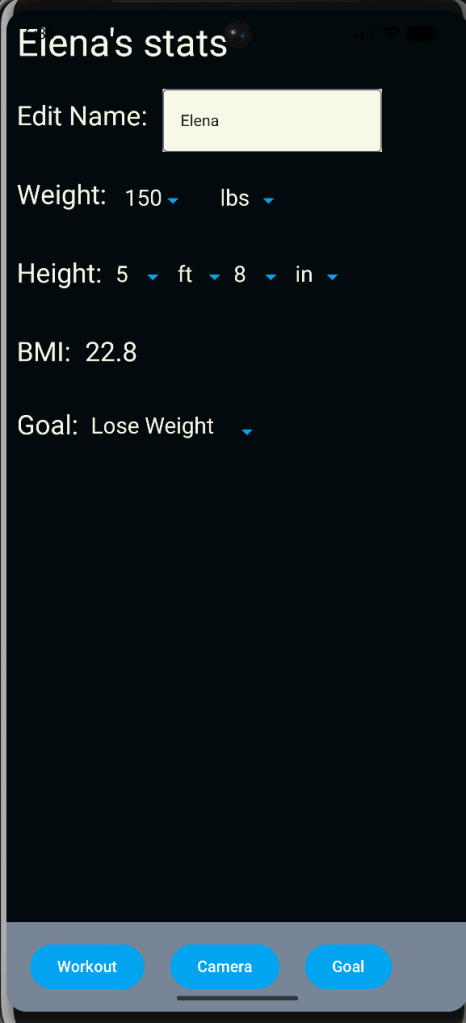
The first screen I worked on this month was the goal screen that let users track their weight and height changes. I also set up a way to calculate their BMI on the screen. There were no real issues with setting up this screen.
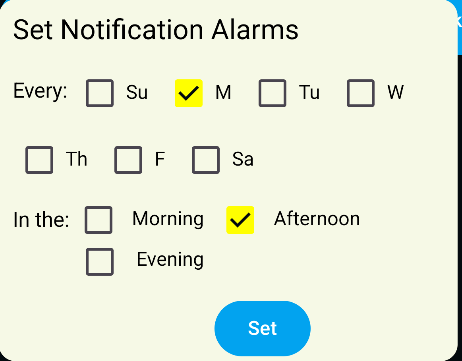
The second UI element was the notification screen that allows the user to schedule when they want notifications to remind them to work out. This screen gave me some issues with getting the notifications shown, but after realizing I needed an icon that showed with the notification, it was easy to do.
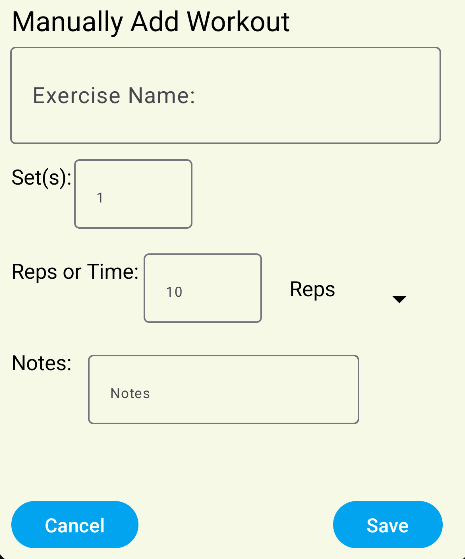
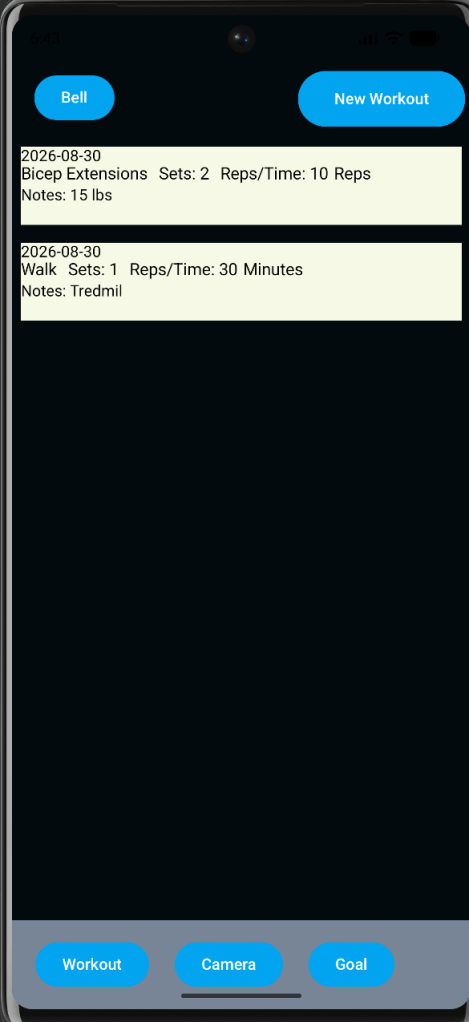
The last major UI thing I did was to have a manual workout screen. Since our app can only do a limited amount with the camera system, we wanted a manual way to add workouts. These workouts would then appear on the workout screen so you can see the history of your workouts. The biggest issue I had was getting multiple workouts to appear on screen, but I was just missing one crucial line of code. Once that was added, it started working perfectly.
The pose detection is hard to show on here, but it does work. I used the Pose Detection ML Kit from Google. It detects shoulders, elbows, wrists, hips, knees, and ankles. It is able to return the body part position in (x, y) coordinates and uses machine learning to estimate where the body part is if it is off-screen. I also have it calculate angles of arms, legs, and the sides of the body. This wasn’t too hard to set up, and it is a very helpful tool for this app.
Overall, I think this month went really well. There weren’t many major issues. There were some miscommunications between my partner and me. I’m working on fixing them and am ready to finish up the voice controls and finish the app.


Leave a Reply